OBS Studio controls
OBS Studio is a free, open-source app for recording video and live streaming. You build scenes from sources like cameras, screen captures, and graphics, then use the mixer to adjust microphones and other audio. Visit the OBS Project for downloads and guides.
On macOS and Windows, use your touchscreen to switch scenes, control the mixer, and manage recording and streaming. Use a current companion app and matching display firmware.

Example layout with recording, streaming, Scenes, and Audio on Home.
Connect OBS Studio
Use a paired display and keep OBS Studio and EspDesktop open on the same computer.
- In OBS Studio, open Tools → WebSocket Server Settings. Enable the server and keep authentication enabled.
- Open Settings → OBS on Mac or OBS Studio on Windows in EspDesktop. Enter the port and password shown in OBS. Choose Connect on Mac or Connect to OBS on Windows. OBS remote control guide
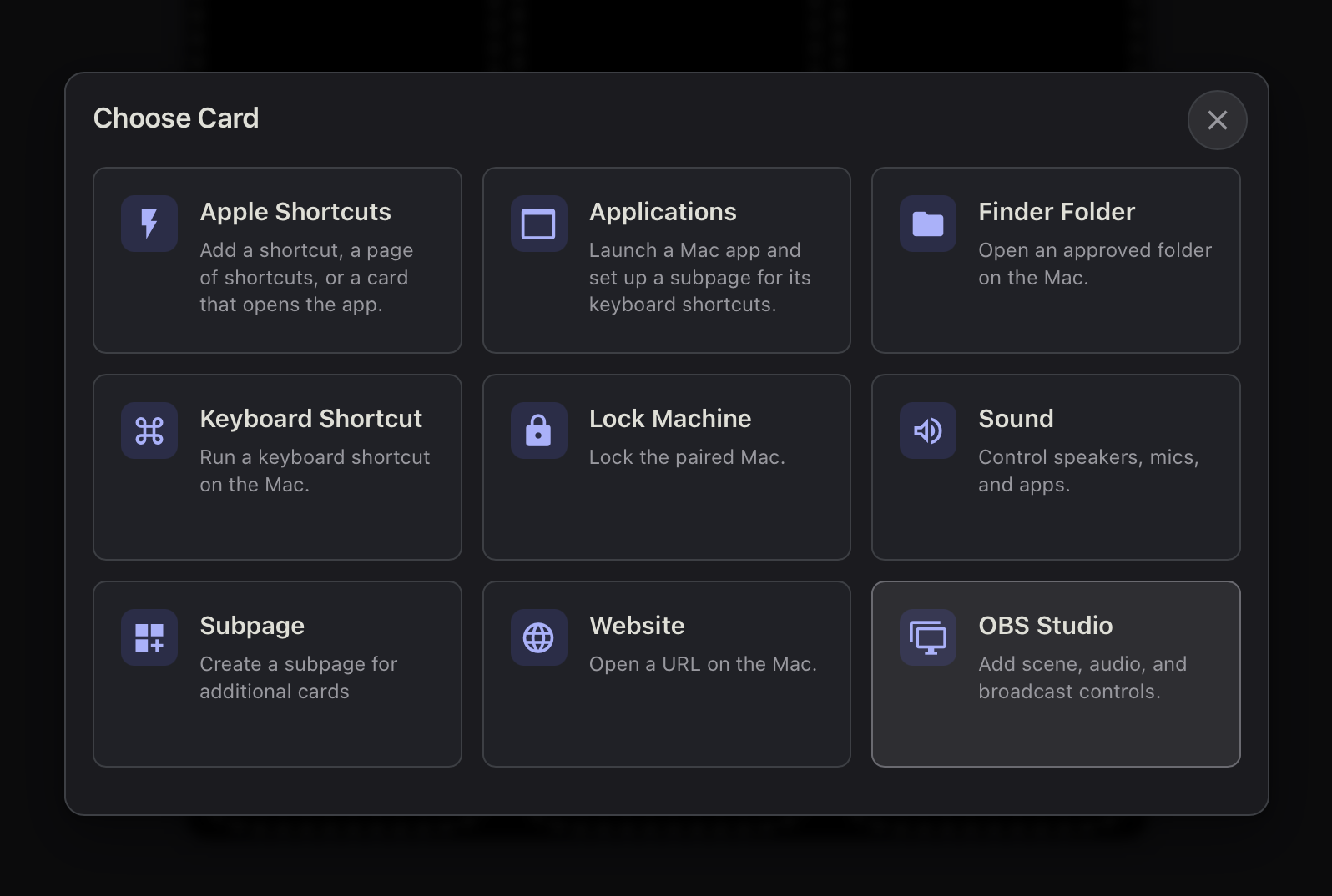
- Open your display’s web editor and select an empty tile on Layout. In Choose Card, select OBS Studio. If the picker shows connector tabs, look under Companion.
Switch scenes
Add a Scene card and choose the scene you want. With Studio Mode on, the card selects Preview. Preview scenes, take them live, and choose transitions.
Start with grouped pages
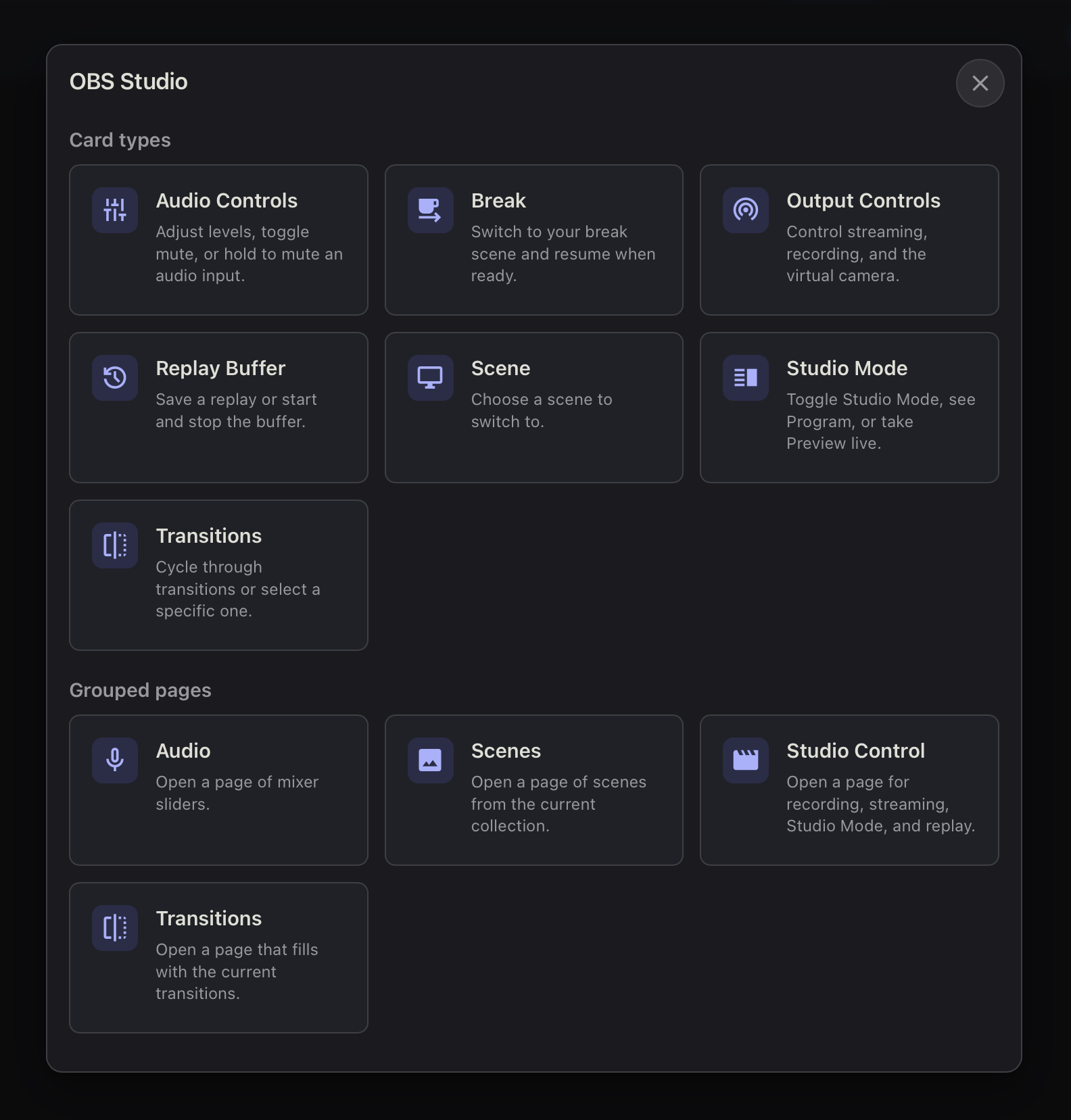
In the OBS Studio picker, look under Grouped pages. Pick one and choose Save. Tap its card on the touchscreen to open the page, then tap Back to return. Repeat for each page you want.
| Page | What you get |
|---|---|
| Audio | Volume sliders for the inputs in the OBS mixer. |
| Scenes | Buttons for scenes in the current collection, with Break, Transition, and Take Live where there’s room. |
| Sources | Visibility controls for items in Preview in Studio Mode, or in Program in normal mode. |
| Studio Control | Record, Stream, Studio Mode, Replay Buffer, and Save Replay in one layout. |
| Transitions | One button per scene transition configured in OBS. |
To test on either platform, turn on Studio Mode in OBS and tap a scene. Check that it appears in Preview.
Choose what to control
Add individual controls from Add Card → OBS Studio → Card types. You can put them on Home or in a subpage.
| Card type | What it does |
|---|---|
| Scene | Choose a scene from the current collection. |
| Studio Mode | Toggle Studio Mode, show Program scene, Take Live, or Open Multiview. |
| Transitions | Cycle transitions or Select a transition. |
| Audio Controls | Level, Input State, or Cough for a mixer input. |
| Break | Switch to a break scene and optionally mute a mixer input. |
| Output Controls | Streaming, Recording, or Virtual Camera. |
| Replay Buffer | Save Replay or Start / Stop Buffer. |
To launch OBS Studio from the touchscreen, add an Applications card and select OBS Studio.
Customise an OBS card or page
- Rename or recolour a card. Open Edit Card → Card Settings to change its Label or icon. Open Custom Colours to change its colours. Cards with a status subtitle still show the current OBS state.
- Choose which automatic cards appear. Open Edit Card on the card that opens your Audio, Scenes, or Transitions page. Use the switches to hide items and the drag handles or arrows to reorder them, then choose Save. New OBS items fill available spaces.
- Arrange the layout. Use Edit Subpage to move cards or add controls to empty cells. Drag an automatic card to save it in another cell, or choose Edit Card → Save to save it in place. Cancelling the edit keeps it automatic. Deleting an automatic card from the layout also hides that item from the automatic list. Studio Control starts with editable preset cards.
FAQ
Can I control OBS Studio from a touchscreen on Mac and Windows?
Yes. Connect EspDesktop to OBS Studio’s WebSocket server, then add an OBS Studio card to your display. Scene switching, transitions, and Take Live work on both platforms.
Why is the OBS tab missing in EspDesktop?
EspDesktop shows Settings → OBS when it finds OBS Studio installed in an Applications folder on your Mac. Check where OBS Studio is installed if the tab is missing.
Why can’t EspDesktop connect to OBS Studio?
Check that the OBS WebSocket server is enabled and that its port and password match in EspDesktop. On Mac, leave the password field blank and choose Reconnect to reuse the saved password.
Can I switch scenes without putting them live immediately?
Yes. Turn on Studio Mode and tap a scene card to select it in Preview. Use Take Live to send that scene to Program, the feed OBS is outputting.
Can I mute my OBS microphone from the touchscreen?
Yes. Add an Audio Controls card, set Type to Input State, and choose the microphone from the OBS mixer. Use Cough to mute it only while you hold the card.