3D-printable desk stand for the Guition 4848S040
This optional case doubles as a desk stand, angling the 4-inch touchscreen so you can see and tap it next to your keyboard. Check that your display is marked 4848S040 before printing. See the supported display.
Print the case
Use the print profile and settings for your printer on the model listing. Get the print file on MakerWorld.
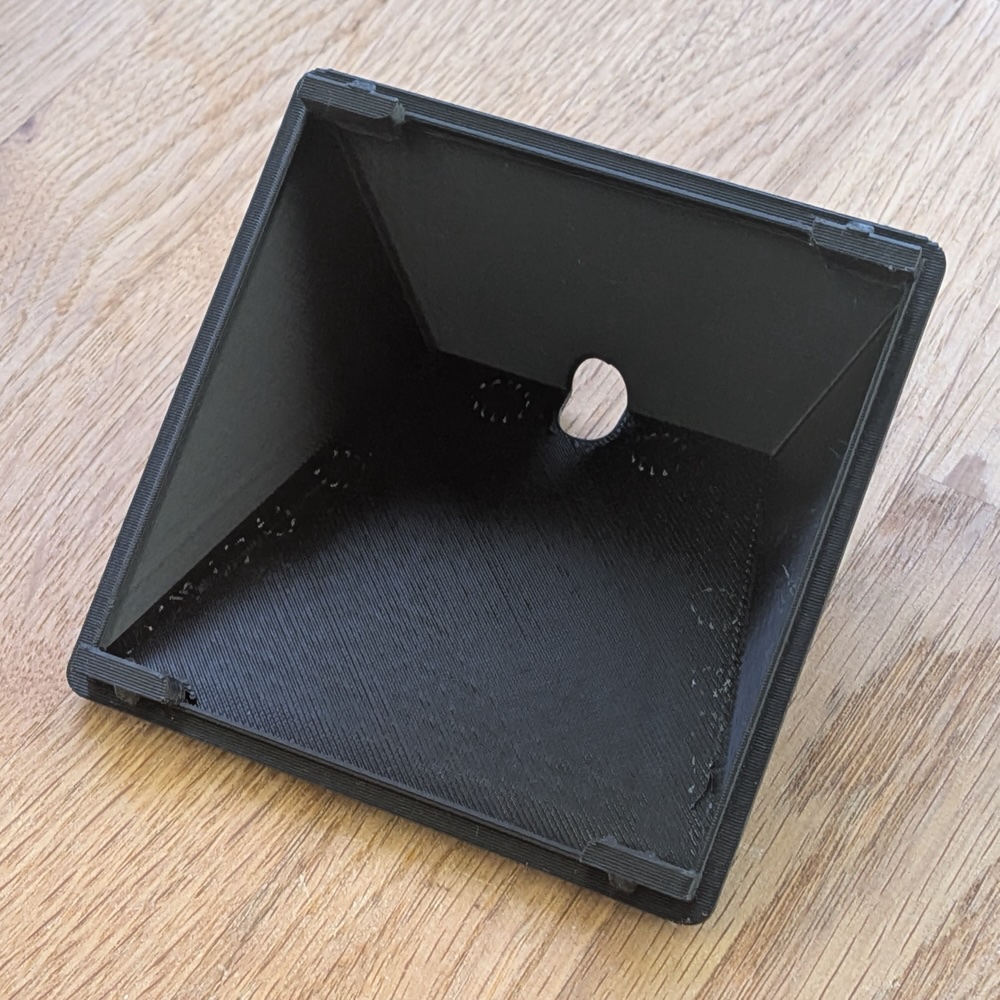
Order a print locally
If you don’t have a 3D printer, a local printing service can print the stand and deliver it to you. As a rough guide, one stand could cost US$10–15.
- Download the 3MF file from MakerWorld.
- Choose a service below and upload the file to its quote form or attach it to your quote request.
- Ask for one stand in black PLA at the original size. Check the delivered price, including any minimum order charge, shipping and taxes.
| Country | Printing service |
|---|---|
| Australia | 3D Things |
| Brazil | Tudo em 3D |
| Canada | 3DPrintz |
| France | SANSIL 3D |
| Germany | Serbul3D |
| India | Fabrilox |
| Japan | Sadari System |
| South Africa | ThinkerPrint |
| United Kingdom | Flintform |
| United States | Mandarin 3D |
Fit the display
Unplug the USB-C cable and remove the display’s original back plate. This gives the printed case’s mounting clips the clearance they need.
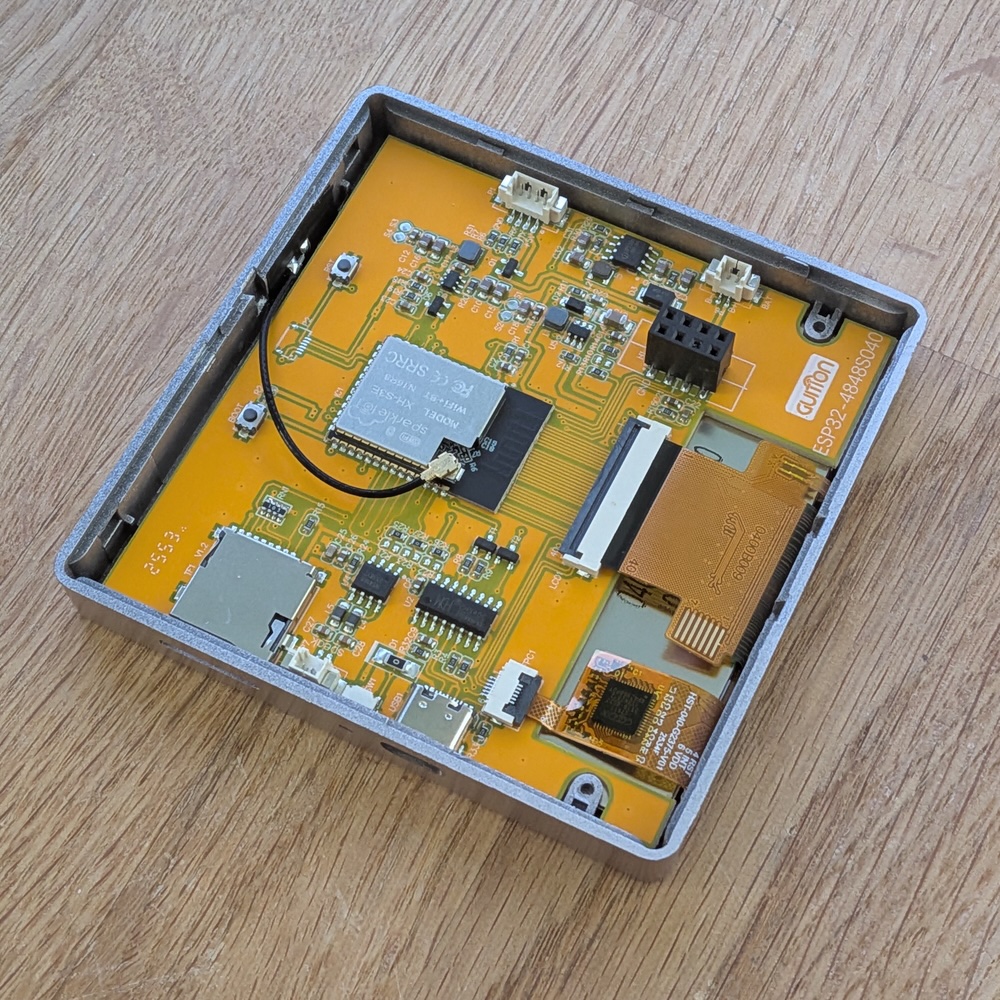
Align the display with the printed case and gently press it into place until the clips engage.
Reconnect the USB-C cable and check that the plug seats fully and the cable has room.