Open websites on your Mac
A Website card opens a web address in your Mac’s default browser. Give a frequently used site, such as a calendar or project dashboard, its own tile on the touchscreen.
Add a website card
- Open the display’s setup page and select an empty tile.
- Choose Website. If the picker shows connector tabs, look under Companion.
- In the Open URL form, enter an
http://orhttps://address without an embedded username or password. - Under Open in, keep New tab or choose New window, then select Save.
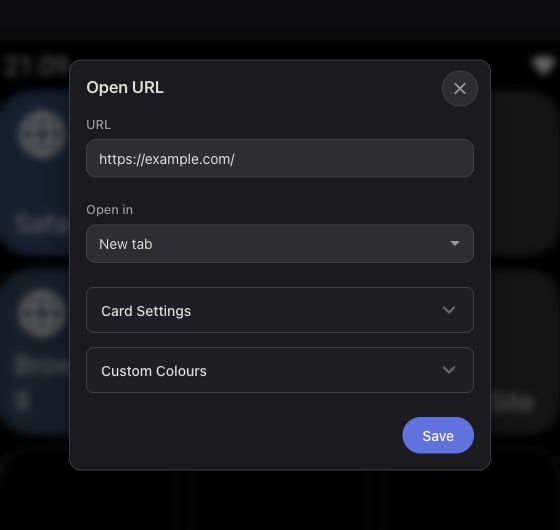
Choose a tab or window
Use matching versions of the EspDesktop Mac app and display firmware. Safari and Google Chrome support both opening options when EspDesktop has Automation permission for your browser in macOS System Settings. In other browsers, New tab follows the browser’s usual behaviour for links opened from another app. If no browser window is open, opening a tab creates a window for it.
Replace an older web app card
Upgrading or restoring a backup removes saved Web App cards. Add a Website card with the same address to replace one.